Different Types Of ERP Architectures: Models, Deployment, Tiers, And Future Trends
When businesses talk about ERP success or failure, the conversation usually stays around features. But in reality, the different types of ERP architectures matter just as much.
And in today’s time…the way an ERP system is designed, deployed, and structured matters so much. It decides how fast it runs, how easily it scales, how secure it stays, and how expensive it becomes over time.
Understanding the types of ERP architecture helps decision-makers avoid long-term mistakes like performance bottlenecks, rigid systems, or painful upgrades.
In this blog, we will learn about the different types of architecture and see how they impact organisations and their operations.
Different Types Of ERP Architectures
An ERP architecture model defines how an ERP system is built and how its parts interact. It covers where the system is hosted, how data flows, how users access it, and how modules connect with each other.
Different ERP architectures vary based on three main factors: deployment location (cloud or on-prem), structural design (centralized or distributed), and technical design (monolithic or modular).
Modern businesses no longer rely on one rigid setup. Now we have modern cloud, hybrid, and modular systems. And companies can choose architectures that fit their size, security needs, and growth plans.
What Are The Main Types Of ERP Architecture?
The main ERP architecture types are those that cover most real-world business deployments today. These architectures define how ERP systems are operated across industries.
Typically, these include on-premise ERP, cloud ERP, and hybrid ERP. Together, they serve small businesses, mid-sized companies, and large enterprises across manufacturing, retail, healthcare, and services.
This classification works as a summary layer. It helps businesses first decide where and how they want ERP to run before diving deeper into newer or more advanced architectural designs like composable or microservices ERP.

What Are 5 Different Types Of ERP Architectures Used In Enterprises?
The traditional model lists three ERP types: on-premise, cloud, and hybrid. But newer classifications extend this to five by adding microservices-based ERP and AI-enabled ERP.
So, the five types of ERP architecture are:
On-premise ERP - Installed on your own servers, you control everything
Cloud ERP - Runs on vendor's infrastructure, accessed via browser
Hybrid ERP - Mix of on-premise and cloud modules
Microservices ERP - Built as independent services that connect via APIs
AI-enabled ERP - Includes machine learning for predictions and automation
Out of all, microservices and AI-enabled ERP are the newer additions. These newer types focus on flexibility, faster innovation, and intelligent automation.
For example, microservices ERP allows businesses to upgrade inventory or finance modules independently without touching the whole system. AI-enabled ERP adds predictive planning, demand forecasting, and anomaly detection directly into the architecture.
Why Does ERP Architecture Matter For Business Performance?
Yes, ERP architecture directly impacts daily operations. A poorly chosen architecture can slow reporting, limit user access, and create security gaps as the business grows.
Scalability is a major factor. An architecture that works for one plant may collapse when multiple locations or users are added. Security is another concern. Older architectures often struggle with modern compliance and access control needs.
Cost is closely tied to architecture as well. Some ERP systems look affordable initially but become expensive due to hardware upgrades, maintenance, and customization limits. Choosing the right ERP architecture supports long-term digital transformation instead of blocking it.
What Is The Architecture Of ERP Systems In Modern Enterprises?
Modern ERP systems typically follow either centralized or distributed designs.
Centralized ERP: One database, one instance, everyone connects to it. Simple but creates a single point of failure.
Distributed ERP: Multiple instances across locations, data syncs between them. More complex but better performance and redundancy.
In short, in centralized systems, all data lives in one core database. In distributed systems, data and services are spread across locations or cloud regions.
Now, came cloud ERP that completely transformed ERP architecture for the better. Before cloud ERP, the IT team used to manually check servers, install software, and manage upgrades. Now cloud has removed dependency on physical servers. Businesses can now access ERP from anywhere while updates happen automatically in the background.
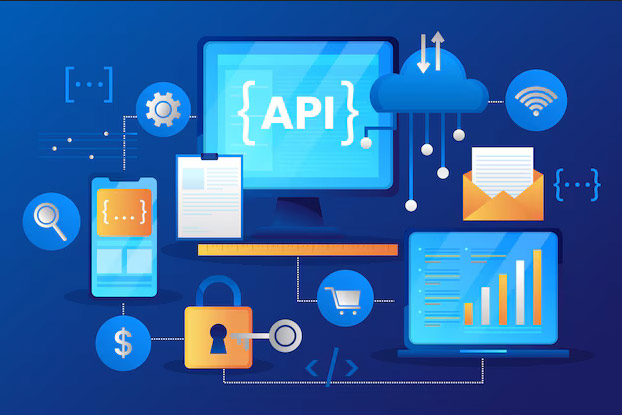
APIs play a major role in modern ERP architecture. It connects to:
Payment processors
Shipping carriers
E-commerce platforms
Marketing automation tools
Banking systems
Real-time processing is critical here. When a sales order is created, inventory updates instantly. When material is issued on the shop floor, costs reflect in finance immediately. This removes delays, manual reconciliation, and “why don’t these numbers match?” conversations that older ERP architectures struggled with.
In short, modern ERP architecture is built to support speed, scale, integration, and constant change, not just record transactions.
What Is Composable And Microservices ERP Architecture?
Composable and microservices ERP architectures break ERP into independent services instead of one large system. So, even the modules like inventory, finance, or HR run separately.
Now, you may think, how do these services communicate? Using APIs. This means businesses can add, remove, or upgrade modules without disrupting the entire ERP. Cloud-native compatibility makes deployment faster and scaling easier.
The biggest advantage is speed. Companies can adopt new features, integrate new tools, and respond to market changes without waiting for full system upgrades.

What Is A Three-Tier ERP Architecture?
When enterprises talk about stability, control, and scale, they are usually referring to a three-tier ERP architecture. A three-tier system is comprised of three separate components that allow for every component's growth without breaking the others.
Presentation tier - The one that users interact with. This includes dashboards, reports, and transaction screens used by finance teams, planners, and operators.
Application tier - It is responsible for performing all of the functions of an ERP. It contains the application's logic and provides support for business rules, validation checks, approval processes/workflows, etc. Whenever an invoice is created or production is planned…the logic runs here before anything is stored.
Database tier - stores all enterprise data. Inventory records, production history, vendor contracts, and financial entries live here.
Through all these tiers, data easily flows from users to logic and then to storage. This separation improves performance, supports large user volumes, and allows enterprises to scale without system slowdowns. That is why three-tier setups are common in large organisations managing complex operations and high transaction loads.
What Is A Two-Tier ERP Architecture?
A two-tier ERP architecture simplifies things when full enterprise complexity is not required. A three-tier system is comprised of three separate components that allow for every component's growth without breaking the others. Instead of three layers, the presentation and application logic often run together, while the database remains separate or centrally hosted.
This structure reduces infrastructure overhead and makes deployment faster. Many organisations use a two-tier approach when they want a central ERP for core finance and governance, but lighter systems for regional plants or business units.
In this model, the corporate ERP handles consolidation, compliance, and reporting. Regional or plant-level ERPs manage local operations, production, and day-to-day transactions. Data syncs upward instead of flowing through a heavy central system.
Because of fewer layers, implementation is quicker and maintenance is easier. This makes two-tier architecture popular with SMBs or enterprises expanding into new regions that need speed without sacrificing control.
How Does Security In ERP Architecture Affect Risk Management?
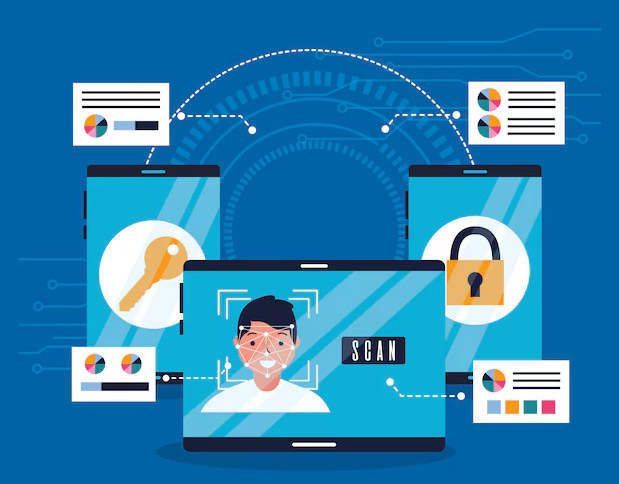
Erp security directly decides how much risk a business is exposed to. Because businesses deal with vendors, customers and a lot of financial data. If access is loose, the risk is not just IT-related. It becomes an operational and financial problem.
Having strong security modules can help with data breaches. These modules are as follows:
Role-based access - this defines which roles can create, edit, approve, or only view data.
Data encryption - to protect information as it moves between ERP modules and external systems. So, whether data flows from production to finance or from ERP to vendors, encryption makes sure that sensitive details cannot be read or altered in transit. This is critical when ERPs integrate with banks, logistics partners, or cloud platforms.
Biometric access - fingerprints and iris scan for high-risk sensitive company information that only a limited number of people have access to.
Identity management - links users to roles, devices, and locations. When something goes wrong, teams can identify who did what and when.
Frequently Asked Questions About Different Types Of ERP Architectures
On-premise, cloud, hybrid and multi-cloud are the types of ERP architecture.
An ERP architecture decides how fast, flexible, and reliable your business systems actually are. If the architecture is weak, even good software feels slow.